
Blog Details
Where Creative Sparks Ignite Branding Revolutions.
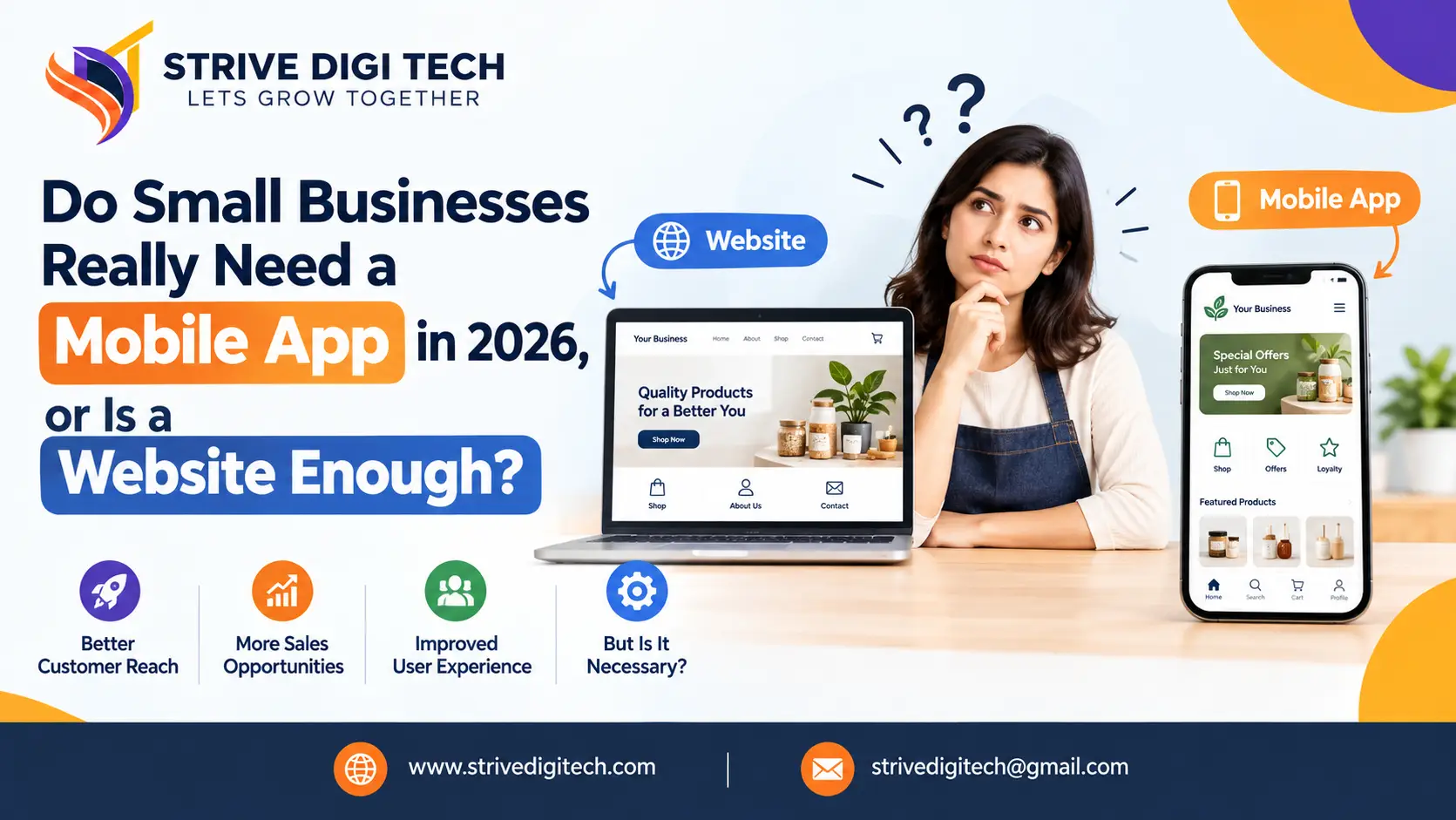
Do Small Businesses Really Need a Mobile App in 2026, or Is a Website Enough?
Most small businesses do not need a mobile app yet, but some clearly do. Compare websites, progressive web apps and native apps on cost, discovery and customer use, with real scenarios to help you decide.
Sooner or later, most growing businesses hear it. A customer says, "You should have an app." A competitor launches one. A friend's agency offers to build one. And the question lands on your desk: do we actually need a mobile app, or is our website enough?
We build both apps and websites, so we have no reason to push you one way. The honest answer is that many small businesses do not need an app yet, some clearly do, and a growing number are better served by something in between. This guide will help you work out which group you are in, what each option costs, and how to decide without wasting money.
Does a small business need a mobile app in 2026?
Short answer: Most small businesses do not need a mobile app if their customers visit occasionally, buy once in a while or mainly want information, bookings and contact details. A fast, mobile-friendly website does that job well. An app makes sense when customers use your service often, such as weekly orders, loyalty programs, bookings or account management, or when you need phone features like push notifications, offline access, GPS or the camera.
The deciding question is not "Is an app impressive?" It is "Will my customers open it often enough to keep it on their phone?" People are selective about which apps they install and keep. If they would only open yours a few times a year, a website will serve them better.
Why a website comes first for almost every business
Whatever you decide about an app, your website is the base. Here is why.
- Search and AI discovery happen on the web. Google, Bing, ChatGPT, Perplexity and AI Overviews read websites. They do not read the inside of your app. If someone asks an AI assistant for the best service like yours nearby, your website and listings are what gets you named. We explain this in our guide to showing up in local AI searches.
- No download needed. A new customer can reach your website in one tap from a search result, ad, social post or text message.
- One build works everywhere. A responsive site works on iPhone, Android, tablet and desktop.
- Lower cost to build and maintain. You avoid app store fees, review processes and separate iOS and Android updates.
- Ads and marketing point to it. Google Ads, Meta Ads, email campaigns and QR codes all work best with a fast landing page.
In practice, an app is something you add on top of a good website, not instead of one. If your website is slow, outdated or hard to use on a phone, fix that first. A well-planned custom business website will usually return more than an app built on top of a weak web presence.
When does a mobile app make sense for a small business?
An app starts to earn its place when one or more of these are true.
Customers use your service frequently
Coffee shops with daily regulars, gyms, salons with monthly bookings, food delivery, pharmacies with repeat prescriptions, laundry services and subscription businesses all see repeat use. When someone interacts with you weekly, saving them a few taps each time adds up, and they are more willing to keep your app installed.
You run a loyalty or rewards program
Digital stamp cards, points, member pricing and personalized offers work well in an app because the customer is logged in and you can see their history.
Push notifications would genuinely help customers
Order ready, appointment tomorrow, class cancelled, delivery arriving, item back in stock. These are useful messages. Push notifications have a far better chance of being seen than email, but they are easy to abuse. If your only plan is to send promotions, customers will turn them off or delete the app.
You need phone hardware or offline access
Scanning barcodes, taking photos for quotes or claims, tracking location for field service, using Bluetooth with devices, or working without signal on a job site. Native apps handle these better than websites.
The app is the product
If you are building a booking platform, marketplace, fitness program, learning tool or software service, the app is not marketing. It is what customers pay for.
Your team needs it internally
Some of the best small business apps are never published to the public. A field service team app for job sheets, photos and signatures, or a stock-taking app for a warehouse, can save hours each week.
When is a website enough?
A website is usually all you need when:
- Customers find you through search, maps, ads or referrals and contact you once or a few times a year
- Your main goals are enquiries, calls, quote requests and bookings
- You sell online but most customers buy occasionally rather than weekly
- You do not have the budget to maintain an app properly after launch
- You cannot name a specific thing an app would do that your website cannot
Accountants, lawyers, builders, consultants, wedding venues, most clinics, real estate agents, local tradespeople and many B2B companies fall into this group. For them, money spent on a better website, SEO and lead generation usually goes much further.
Signs your website needs work before you think about an app
Many app requests we get are really website problems in disguise. The owner feels the business looks dated on mobile, or customers complain the booking process is clumsy, and an app seems like the modern fix. Check these first:
- Your site takes more than a few seconds to load on a phone over mobile data.
- Buttons and text are hard to tap or read without zooming.
- Booking, ordering or quote requests take more than a few steps.
- Your phone number and main call to action are not visible on the first screen.
- Your content has not been updated in over a year.
- You get traffic but very few enquiries.
If two or more of these sound familiar, an app will not solve the underlying problem. Customers who struggle with your website are unlikely to download an app to try again. Fixing the website is cheaper and helps every visitor, not just the few who would install an app.
How long does each option take to launch?
Timelines depend on scope, but the order is consistent. A professional small business website usually takes a few weeks from approved design to launch. A progressive web app with ordering, booking or account features typically takes longer, often a couple of months. A native or cross-platform app with accounts, payments and an admin panel commonly takes several months, plus time for app store review before it goes live.
The faster launch of a website or PWA has another benefit: you start collecting real customer data sooner. That data tells you whether an app is worth building, and which features it actually needs.
What is a progressive web app, and is it a good middle ground?
A progressive web app (PWA) is a website built to behave more like an app. Visitors can add it to their home screen, it can load quickly on repeat visits, it can work partly offline, and on most modern phones it can send push notifications. Apple added web push support for home-screen web apps on iPhone with iOS 16.4 in 2023, which closed one of the biggest gaps.
For many small businesses, a PWA gives most of the app benefits at a lower cost:
- One codebase instead of separate iOS and Android apps
- No app store approval or commission on digital sales
- Found through Google and AI search like any website
- Updates go live instantly for every user
The trade-offs are real, though. PWAs are not listed in app stores by default, some device features are limited (especially on iPhone), and many customers still do not know how to "install" a website. If you want a home screen presence without the full cost of native development, our progressive web app development team can tell you whether your use case fits.
Website vs PWA vs native app: a side-by-side comparison
| Factor | Mobile-friendly website | Progressive web app | Native mobile app |
|---|---|---|---|
| Found in Google and AI search | Yes | Yes | Only the app store listing and your website |
| Download required | No | Optional "add to home screen" | Yes, from App Store or Google Play |
| Push notifications | No | Yes, on most modern devices | Yes |
| Offline use | No | Partial | Full, if designed for it |
| Access to phone hardware | Limited | Moderate | Full |
| Build cost | Lowest | Moderate | Highest |
| Ongoing maintenance | Low | Low to moderate | Moderate to high (OS updates, store rules) |
| Best for | Lead generation, information, occasional purchases | Repeat customers on a budget, simple ordering and booking | Frequent use, loyalty, hardware features, app-as-product |
How much does a small business app cost compared with a website?
Prices vary widely by country, features and who builds it, so treat these as rough bands rather than quotes. The relative difference is what matters.
- Professional small business website: the lowest cost of the three, with a predictable build time measured in weeks.
- Progressive web app: typically more than a standard website because of extra functionality, but well below native apps for both platforms.
- Native or cross-platform app: usually several times the cost of a website, more if it needs user accounts, payments, a custom admin panel or integrations with your existing systems.
The build is only part of it. Apps also carry ongoing costs:
- Apple's developer program fee (US$99 per year) and Google Play's one-time registration fee (US$25)
- App store commission on many digital purchases and subscriptions, generally 15 to 30 percent
- Updates for each new iOS and Android version
- Bug fixes, security patches and server costs
- Marketing to get people to download it in the first place
A useful rule of thumb is to budget a meaningful percentage of the original build cost every year for maintenance. Apps that are launched and then left alone tend to break, collect poor reviews and lose users. We have written separately about why apps crash after launch and how to prevent it. For a figure based on your actual features, ask for an app development cost estimate rather than relying on generic price lists.
Five questions to decide if your business needs an app
- How often will a typical customer use it? Weekly or more is a strong sign. A few times a year is a strong sign against.
- What will it do that my website cannot? If the answer is "the same things, but in an app", you probably do not need one.
- How will people find out about it and download it? An app without a plan to get installs is an expensive icon nobody sees.
- Who will maintain it, and with what budget? Plan for at least the first two years of updates.
- How will I measure if it worked? Repeat orders, booking frequency, average order value, retention or time saved for staff. Pick one or two numbers before you build.
If you answer these honestly and still see a clear case, an app may be a good investment. If you are unsure, start with the website or a PWA and revisit the question in six to twelve months with real customer data.
Real-world scenarios: app or website?
A local bakery with regular customers
Customers buy several times a week. A simple ordering and loyalty app, or a PWA with a points system and order-ahead feature, could increase visits and order size. A website alone handles discovery, but the app supports repeat business.
A family law firm
Clients usually need the firm once. They find it through search, AI assistants and referrals, then call or fill in a form. A fast website with strong content, reviews and clear contact options is the right investment. An app would add little.
A home cleaning company with recurring clients
A customer portal for rescheduling, payments and notes could be useful, but it can often be a web-based client area or PWA. A full native app becomes worthwhile only if the business grows to many recurring customers or needs a staff app for checklists and photos.
An online clothing store
Most shoppers buy a few times a year. A fast, well-built store comes first. An app may make sense later for the most loyal customers, with early access drops, wishlists and personalized notifications. Until then, money spent on online store development and conversion improvements usually pays back faster.
A gym or fitness studio
Members book classes weekly, check timetables and track visits. This is one of the clearest cases for an app or PWA, either custom-built or through a booking platform with a branded app.
What if you decide to build an app?
If the case is clear, a few choices will make a big difference to cost and success.
- Start with an MVP. Launch with the one or two features your customers will use most, then add more based on real usage.
- Consider cross-platform frameworks. Tools like Flutter and React Native let one codebase run on both iOS and Android, which usually lowers cost compared with building two separate native apps.
- Design before you code. Clickable prototypes let you test the flow with real customers before paying for development. Our app prototype and UX design process starts here for exactly this reason.
- Connect it to your existing systems. Your booking software, POS, CRM or inventory should talk to the app, so staff are not entering data twice.
- Plan the launch. Tell existing customers, add download prompts to your website and receipts, and give people a reason to install, such as a first-order discount or exclusive booking slots.
- Think about AI features carefully. Personalized recommendations, smart search and chat support can add value, but only where they solve a real customer problem. We cover practical examples of AI features inside mobile apps in another guide.
How do you get customers to download your app?
Building the app is half the job. People will not find it by accident, so plan how you will get the first few hundred installs:
- Ask existing customers first. They already trust you. Mention the app at checkout, on receipts, in emails and in person.
- Give a clear reason. A first-order discount, priority booking, exclusive offers or a faster reorder button. "Download our app" alone is not a reason.
- Use smart banners on your website. A small prompt for mobile visitors can link straight to the right app store.
- Put QR codes where customers wait. Counters, tables, packaging, vehicles and printed menus.
- Optimize the store listing. Clear screenshots, a plain description of what the app does, and early reviews from happy customers.
- Make the first use rewarding. If the first session is confusing or asks for too much information, many people will not come back.
Track how many downloads turn into active users after 30 days. That number tells you more about the app's value than the download count.
Common mistakes small businesses make with apps
- Building an app because a competitor has one, without a clear customer reason
- Replacing the website with an app and losing search and AI visibility
- Launching with too many features and blowing the budget before launch
- No budget for updates, so the app breaks after the next iOS or Android release
- Using push notifications only for promotions, which leads to uninstalls
- No plan to get downloads, so the app sits unused
- Not measuring results, so nobody knows if it was worth it
Our recommendation
For most small businesses in 2026, the order of investment looks like this:
- A fast, mobile-friendly website with clear service pages and strong calls to action
- Local SEO, Google Business Profile and AI search visibility so customers can find you
- Lead capture and follow-up, such as forms, booking, chat and email
- A PWA or customer portal if repeat customers need easier access
- A native or cross-platform app when frequent use, loyalty or hardware features justify it
Skipping straight to step five is the most common and most expensive mistake we see. Following the order means each step pays for the next.
Still not sure which route fits? Talk through your app idea with our team. We will give you a straight answer, including when the answer is "you do not need an app yet."
Frequently asked questions
Is a mobile app better than a website for a small business?
Not by default. A website is better for discovery, search visibility and occasional customers. An app is better for frequent repeat use, loyalty programs, push notifications and phone features. Most small businesses should start with a strong website.
Can a website work like an app?
Yes. A progressive web app can be added to a phone's home screen, load quickly, work partly offline and send push notifications on most modern devices, all without an app store download.
How much does it cost to maintain a small business app?
Plan for ongoing costs every year, including developer program fees, updates for new operating system versions, bug fixes, server hosting and marketing. Many businesses budget a meaningful share of the original build cost annually.
Will an app help my business show up in Google or ChatGPT?
Not much on its own. Search engines and AI assistants mainly read websites and business listings. Your website, Google Business Profile and reviews drive that visibility, while an app's store listing has limited reach.
Should I build for iPhone or Android first?
Look at your customers. In the US, UK and Australia, iPhone has a large share, while Android leads in many other markets including India. Cross-platform frameworks like Flutter let you launch on both at once.
How do I know if customers want an app?
Ask them, and look at behaviour. If customers order, book or log in frequently through your website, they are good candidates for an app. A short survey or a PWA trial can confirm demand before a full build.