
Blog Details
Where Creative Sparks Ignite Branding Revolutions.
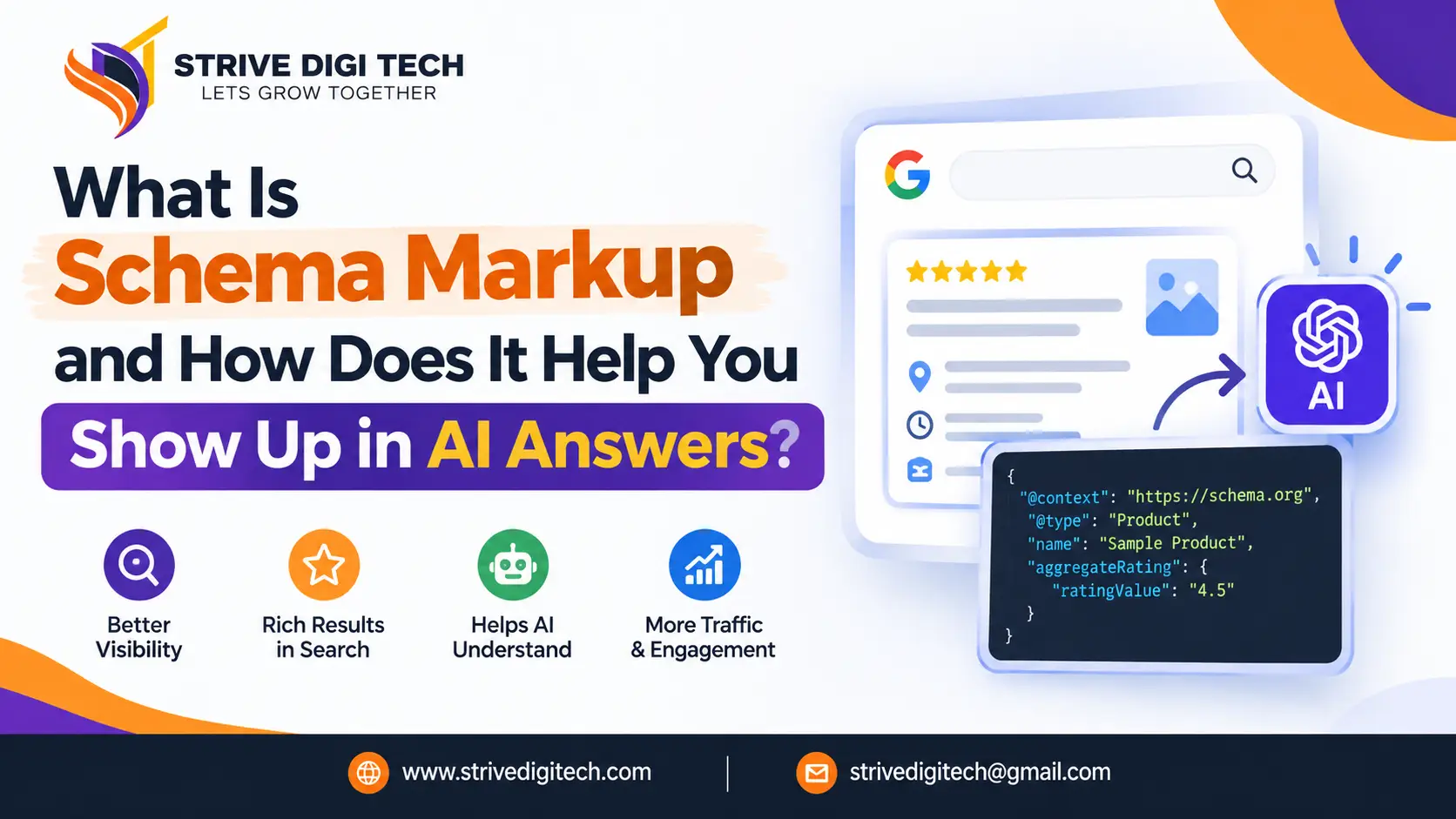
What Is Schema Markup and How Does It Help You Show Up in AI Answers?
Schema markup is hidden structured code that tells Google, Bing and AI tools exactly what your page and business are about. Here is which schema types matter in 2026, how they support AI answers, and how to add them correctly.
Ask ChatGPT "who are the best Italian restaurants near Soho?" or ask Google "how much does a website redesign cost?" and you get an answer built from web pages. Some businesses show up in those answers again and again. Others with better products never appear. Content quality explains part of the gap. Another part is something most site owners have never looked at: schema markup.
This guide explains what schema markup is in plain English, which types matter for a business website in 2026, how it connects to AI answers, and how to add it without breaking anything.
What is schema markup?
Short answer: Schema markup is a small block of structured code added to a web page that tells search engines exactly what the page contains, such as a business name, address, product price, author, review rating or FAQ. It uses a shared vocabulary from Schema.org. Visitors do not see it, but Google, Bing and AI systems read it to understand the page with less guesswork.
Think of your web page as a letter and schema as the labelled envelope. A person can read the letter and work out who sent it and what it is about. A machine can too, but the envelope makes it faster and removes doubt: "This is a dental clinic. It is open 9 to 6. It is at this address. This is its phone number."
Schema.org itself was launched in 2011 as a joint project by Google, Microsoft and Yahoo, with Yandex joining soon after. That is why one set of labels works across the major search engines.
How does schema markup help you show up in AI answers?
AI search tools such as Google's AI Overviews, ChatGPT search, Perplexity, Gemini and Microsoft Copilot pull information from web pages and summarize it. To do that well, they need to know which facts on a page are reliable and how those facts relate to each other.
Schema helps in three practical ways:
- It removes ambiguity. "Apple" could be a fruit or a company. "Strive" could be a verb or a brand. Schema states which one you mean and connects it to your logo, address and social profiles.
- It makes facts easy to extract. Prices, opening hours, ratings, service areas and author names are labelled, so a system does not have to guess them from page text.
- It builds a consistent picture of your business. When your schema matches your Google Business Profile, directory listings and About page, search systems can be more confident that you are a real, specific entity worth naming.
Microsoft's Bing team has said publicly that schema markup helps its systems, including the AI behind Copilot, understand web content. Google says structured data helps it understand pages and is required for many rich results. Neither company promises that schema alone gets you cited in an AI answer, and you should be wary of anyone who does. What schema does is lower the effort and risk for a machine trying to understand you. That is a real advantage when an AI tool is choosing between several similar sources.
Is schema markup a ranking factor?
Not directly. Google has said for years that structured data is not a ranking factor on its own. Adding schema to a weak page will not lift it to the top.
The indirect effects are what matter:
- Rich results such as star ratings, prices, event dates and breadcrumbs can make your listing stand out and get more clicks.
- Better understanding means your page is more likely to be matched with the right queries.
- Entity clarity helps Google connect your website to your Knowledge Panel and business profile.
- Cleaner extraction makes your facts easier to use in AI summaries.
So schema is better described as a multiplier. It helps good content get understood and displayed well. It cannot replace the content.
Which schema types matter most for business websites?
Schema.org lists hundreds of types. Most businesses need fewer than ten. Here are the ones we set up most often, and what each does.
| Schema type | What it describes | Where to use it | Why it matters for AI and search |
|---|---|---|---|
| Organization | Your business name, logo, contact details, social profiles | Homepage or About page | Establishes who you are as an entity |
| LocalBusiness (and subtypes like Dentist, Plumber, LegalService) | Address, phone, hours, service area, geo coordinates | Homepage, contact page, location pages | Core signal for "near me" and local AI queries |
| Service | A specific service you offer, who provides it and where | Each service page | Connects services to your business and location |
| Product and Offer | Product name, price, availability, brand, SKU | Product pages | Price and stock details used in shopping results and AI comparisons |
| Review and AggregateRating | Ratings and reviews | Product pages and some service pages, within Google's rules | Trust signal and possible star display |
| Article or BlogPosting | Headline, author, publish date, publisher | Blog posts and guides | Shows who wrote the content and when |
| Person | Author or expert name, role, credentials, profiles | Author bio pages | Supports experience and expertise signals |
| FAQPage | Questions and answers on a page | Pages with genuine FAQs | Clear question and answer pairs for machines to read |
| BreadcrumbList | The page's position in your site structure | All inner pages | Cleaner search snippets and site understanding |
| Event | Event name, date, location, tickets | Event pages | Eligible for event listings |
Does FAQ schema still work in 2026?
This needs a clear answer because a lot of outdated advice is still around. In August 2023, Google reduced FAQ rich results so they show mainly for well-known government and health websites. Around the same time it removed HowTo rich results. Most business sites will no longer see those expandable FAQ boxes under their Google listing.
That does not make FAQ schema useless. It still labels questions and answers clearly, which helps any system trying to understand what questions your page answers. Since AI tools are built to answer questions, a well-structured FAQ section with matching schema is still worth having on pages where the questions are real. Just do not add it expecting the old rich result to appear, and do not stuff a page with fake questions to fit more keywords.
What does schema markup look like?
Google recommends JSON-LD, a format that sits in a script tag and does not touch your visible page design. Here is a simplified example for a local business:
Each line is a label and a value. The sameAs list is often overlooked, and it is one of the more useful parts for AI visibility, because it ties your website to your profiles elsewhere and confirms they are the same business.
How do you add schema markup to your website?
The right method depends on your platform.
WordPress
SEO plugins such as Yoast, Rank Math and AIOSEO add basic Organization, Article and Breadcrumb schema automatically. For LocalBusiness, Service or custom types you usually need extra settings or a dedicated schema plugin.
Shopify
Most themes include basic Product schema. It is often incomplete, missing brand, reviews or shipping details, so it is worth checking with Google's tools. Apps can fill the gaps, or a developer can edit the theme's Liquid templates.
Custom sites (Laravel, React, Next.js and others)
Schema is added in the page templates, ideally generated from your database so prices, hours and blog dates stay correct automatically. This takes developer time once, then maintains itself. If your site runs on a custom CMS, our team handles WordPress and Laravel schema setup as part of site builds and fixes.
Google Tag Manager
You can inject JSON-LD through Tag Manager. It works, but Google has to run JavaScript to see it, and some AI crawlers may not run scripts at all. Putting schema directly in the page HTML is more reliable.
How do you test schema markup?
Use two free tools after every change:
- Google's Rich Results Test shows whether a page is eligible for rich results and flags errors in the types Google supports.
- Schema Markup Validator (validator.schema.org) checks any Schema.org markup, including types Google does not use for rich results.
Then watch the Enhancements section in Google Search Console. It reports errors and warnings across your whole site, which is how you catch problems such as a template update that wiped your product schema on 400 pages.
What are the most common schema mistakes?
- Marking up things that are not on the page. If the schema says 4.9 stars from 300 reviews and the page shows no reviews, that breaks Google's guidelines and can lead to a manual action.
- Self-serving review markup. Google does not show star ratings for reviews a LocalBusiness or Organization publishes about itself on its own site.
- Outdated details. Old phone numbers, closed locations or last year's prices confuse both search engines and AI tools.
- Different details in different places. If your schema, footer and Google Business Profile list three versions of your address, you weaken the signal you are trying to send.
- Copy-paste schema across every page. The same LocalBusiness block on every blog post adds nothing. Each page should describe what that page is.
- Using the wrong type. A law firm marked up as a generic Organization misses the more specific LegalService type.
- Never checking again. Theme updates, plugin conflicts and redesigns break schema more often than people expect.
Schema for different business types
Local service businesses
Plumbers, clinics, salons, lawyers and agencies should start with the most specific LocalBusiness subtype available, plus Service schema on each service page and accurate opening hours. This is the foundation for local AI questions like "Which emergency electrician near me is open now?" We cover the wider picture of getting into the Google Maps local pack in a separate guide.
Online stores
Product, Offer, brand, availability, shipping and return policy details matter most. When someone asks an AI assistant to compare two products under a certain price, clean product data gives your listing a better chance of being read correctly. If your store's product data is incomplete, our product schema for online stores work covers this inside the theme so it updates with your catalogue.
B2B and SaaS companies
Organization, Service or SoftwareApplication, Person schema for leadership and authors, and Article schema on thought leadership content. This helps AI tools describe what you do accurately when someone asks for vendors in your category.
Healthcare, finance and legal
Person schema with real credentials for the experts who write or review content is especially valuable here, along with the correct specific business type. These are topics where search systems look hard for signs of expertise.
How schema fits into AEO and GEO
Schema is one part of being visible in AI answers. It works best alongside the other parts:
- Content that answers real questions directly, with a clear answer near the top of each section.
- Consistent business information across your site, Google Business Profile, directories and social profiles.
- Reviews and mentions on trusted third-party sites.
- Crawl access so AI crawlers can actually read your pages.
- Fast, clean HTML where key content does not depend on heavy JavaScript.
- Experience and authorship signals that show a real expert is behind the content. We explain why this matters more than whether AI was used in our article on how Google treats AI-assisted content.
If you are not sure where your site stands on these, a technical SEO audit for AI visibility will show which pieces are missing and which to fix first.
What is entity SEO, and why does schema matter for it?
You will hear "entity SEO" more often this year. An entity is a distinct thing that search engines can identify: a person, a company, a place, a product. Google keeps a large database of entities and the links between them, usually called the Knowledge Graph. AI models also build an internal picture of which businesses exist and what they are known for.
When your business is a clear entity, search systems can connect mentions of you across the web: your website, your Google Business Profile, a review on a directory, a quote in a local news story, your LinkedIn page. When it is not clear, those mentions stay scattered and you get less credit for them.
Schema is one of the few tools that lets you state your entity details directly, in a format machines are built to read. The Organization or LocalBusiness block, your logo, your founding details, your sameAs links and Person schema for your leadership all help tie the pieces together.
Schema markup vs llms.txt: do you need both?
llms.txt is a newer, proposed file that sits at the root of a website and gives AI models a short, plain-text guide to your most important pages. It has picked up interest among SEO teams, although support from the big AI companies is still limited and not officially confirmed by most of them.
The two do different jobs. Schema labels the facts on each individual page. llms.txt points AI tools toward the pages you most want them to read. Schema is an established standard that Google and Bing actively use. llms.txt is cheap to add and may help in future, but it should not come before getting your schema right.
Our advice for most businesses: fix schema first, because it has clear and documented value today. Add an llms.txt file afterwards as a low-effort extra.
What should you ask your developer or agency about schema?
If someone else manages your site, these questions will tell you quickly whether schema is being handled properly:
- Which schema types are on our homepage, service pages, product pages and blog posts right now?
- Is the schema generated from our real data, or typed in by hand and likely to go out of date?
- Do our address, phone number and hours in the schema exactly match our Google Business Profile?
- Is the schema in the page HTML, or injected with JavaScript?
- Are there any errors or warnings in Search Console's Enhancements reports?
- Who checks the schema after a theme update or redesign?
If the answers are vague, it is a sign the work has not been done, or was done once and never checked again. Neither is unusual, and both are fixable in a few days for most sites.
A simple schema plan for the next 30 days
- Week 1: Run your homepage, one service page, one product or blog page and your contact page through the Rich Results Test and the Schema Markup Validator. Note what exists and what is missing.
- Week 2: Add or fix Organization and LocalBusiness schema with accurate details and a full sameAs list. Make sure the details match your Google Business Profile exactly.
- Week 3: Add Service schema to each service page and Article plus Person schema to your blog. Create proper author bio pages if you do not have them.
- Week 4: Add FAQPage schema to pages with genuine FAQs, test everything again, and check Search Console for errors.
After that, review once a quarter or after any site update.
How do you know if schema is working?
Schema rarely produces a dramatic overnight jump, so look for steady signs:
- Valid items increasing in Search Console's Enhancements reports
- Rich results appearing for products, reviews, breadcrumbs or events
- Higher click-through rate on pages that gained rich results
- Your Knowledge Panel and brand searches showing correct details
- AI tools describing your business, location and services correctly when asked
That last check is easy to do yourself. Ask ChatGPT, Gemini and Perplexity "What does [your business name] do and where is it based?" If the answers are wrong or vague, your entity information needs work, and schema is one of the fastest places to start.
Who should handle schema markup?
For a small WordPress site with a good SEO plugin, a careful business owner can handle the basics. For anything larger, such as multiple locations, a big product catalogue, a custom-built site or a site in a regulated industry, it is worth having a developer or SEO specialist set it up properly once. Broken or misleading schema can do more harm than having none.
If you want a second pair of eyes, book a structured data review with our team. We will check what your site currently tells search engines and AI tools, and give you a prioritized list of fixes.
Frequently asked questions
Does schema markup guarantee I will appear in AI answers?
No. Schema helps search engines and AI systems understand your content and business more accurately, but no markup guarantees a citation. Content quality, authority and consistency across the web still decide most of the outcome.
What is the best schema format to use?
JSON-LD. Google recommends it, it is easy to maintain, and it sits separately from your visible page content.
Is FAQ schema still worth adding?
Yes, on pages with genuine questions and answers. Most sites no longer get FAQ rich results in Google since August 2023, but the markup still labels questions and answers clearly for machines.
Can schema markup hurt my website?
Incorrect or misleading schema can. Marking up reviews or content that are not on the page breaks Google's guidelines and can result in a manual action. Accurate schema carries no risk.
How long does it take for schema to show results?
Google usually picks up new schema when it next crawls the page, often within days to a few weeks. Rich results and better understanding build over time rather than appearing all at once.
Which schema should a local business add first?
Start with the most specific LocalBusiness subtype for your industry, including address, phone, opening hours, service area and a sameAs list of your profiles. Then add Service schema to each service page.