
Blog Details
Where Creative Sparks Ignite Branding Revolutions.
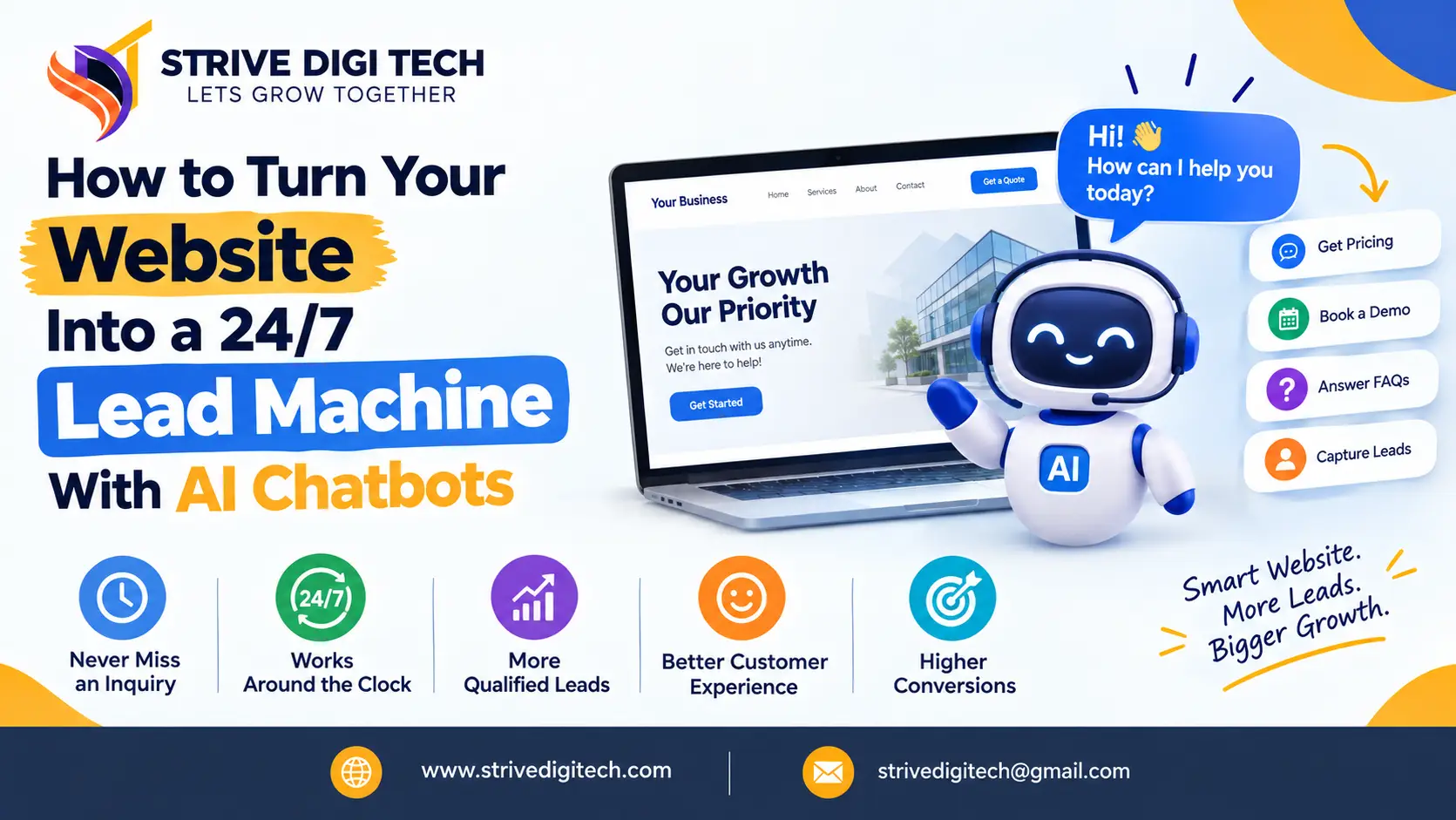
How to Turn Your Website Into a 24/7 Lead Machine With AI Chatbots
Most website visitors look for help when your team is offline. Here is how an AI chatbot can answer their questions, qualify them and book appointments around the clock, and how to set one up so it brings in leads instead of losing them.
Think about when your potential customers actually look for help. A homeowner notices a leak at 10 pm. A business owner in Sydney researches agencies while your London office is asleep. A parent compares clinics on their phone during a lunch break while your receptionist is on another call. If your website can only respond with a contact form and a "we'll get back to you within 24 hours" message, many of those people will simply try the next business.
AI chatbots have changed what a small business website can do outside office hours. Used well, a chatbot answers questions, qualifies leads and books appointments around the clock. Used badly, it annoys visitors and loses the very leads it was meant to capture. This guide covers how to get the first result and avoid the second.
Can an AI chatbot really generate leads for a small business?
Short answer: Yes, when it is set up for that job. An AI chatbot can answer common questions instantly, ask a few qualifying questions, collect contact details and book calls or appointments at any hour. The leads it captures are usually warmer than form fills because the visitor has already had their main questions answered. Results depend on good training content, a clear goal and fast human follow-up.
The key phrase is "set up for that job". Many websites have a chat widget that does nothing more than say "Hi! How can I help?" and then waits. That is not a lead machine. A lead-focused chatbot is designed around the questions your buyers ask and the information your sales team needs.
What has changed with AI chatbots?
Older website chatbots were rule-based. They followed decision trees: click "Pricing", then "Small business", then get a fixed reply. If a visitor typed anything unexpected, the bot failed. Most people learned to ignore them.
Modern AI chatbots use large language models, the same type of technology behind ChatGPT, trained on your own content. They can:
- Understand questions written in everyday language, including typos and follow-ups
- Answer from your service pages, FAQs, pricing guides and policies
- Hold a natural conversation while still steering toward a goal, such as a booking
- Reply in several languages
- Pass the full conversation to a human when needed
That makes the experience closer to messaging a helpful staff member than clicking through a menu, which is why visitors now engage with them far more willingly.
How does a chatbot turn website visitors into leads?
A well-designed lead chatbot follows a simple path:
- Engage at the right moment. It opens with a relevant prompt based on the page, such as "Want a rough price for a kitchen renovation?" on your kitchens page, rather than a generic greeting.
- Answer the real question. It gives a helpful, accurate answer drawn from your content. This builds trust before asking for anything.
- Qualify gently. It asks two to four questions your team needs: what service, where, when, rough budget, business size.
- Capture contact details with a reason. "I can send you a detailed estimate. What's the best email?" works better than "Enter your details".
- Book or route. It offers a calendar slot, sends the lead to the right person or triggers a callback.
- Hand over context. Your team receives the full conversation, so the first call starts with useful information rather than "So, what are you looking for?"
What does a good lead-capture conversation look like?
Here is a simplified example for a kitchen renovation company, at 9:40 pm on a weeknight.
Visitor: roughly how much does a small kitchen remodel cost
Assistant: For a small kitchen, most of our projects fall into three bands depending on whether you keep the current layout, replace cabinets and worktops, or move plumbing and walls. Keeping the layout is the most affordable option. Are you thinking of keeping your current layout or changing it?
Visitor: keeping it, just new cabinets and counters
Assistant: That's usually the quickest type of project for us too, often a few weeks from start to finish. I can have one of our designers send you a more accurate estimate. What area are you in, and roughly when would you like to start?
Visitor: Brookline, maybe early spring
Assistant: Great, we cover Brookline. What's the best email or phone number for the estimate? You can also pick a time for a free design call here if you prefer.
Notice what happened. The assistant answered the question before asking for anything, kept each reply short, asked only what the sales team needs (scope, location, timing), and gave the visitor a choice of next step. The business wakes up to a qualified lead with context, instead of a blank form submission or nothing at all.
Your real chatbot should use the actual price bands and timelines your business can stand behind. Never let it invent numbers.
Contact form vs live chat vs AI chatbot: which captures more leads?
| Factor | Contact form | Live chat (humans only) | AI chatbot with human handover |
|---|---|---|---|
| Available after hours | Yes, but no reply until later | Only if staffed | Yes, with instant answers |
| Answers questions before capture | No | Yes | Yes |
| Qualifies leads | Only with long forms that reduce completions | Yes, depends on staff | Yes, consistently |
| Books appointments directly | Rarely | Sometimes | Yes, with calendar integration |
| Staff cost | Low | High | Low to moderate |
| Risk | Leads go cold waiting for a reply | Slow replies when busy | Wrong answers if poorly trained |
The strongest setup for most small businesses is the third column, with a short contact form still available for people who prefer it.
What should a lead generation chatbot be able to do?
- Answer your top 30 to 50 customer questions accurately, using your own content as the source
- Collect name, email and phone, plus the qualifying details your team needs
- Book appointments through Google Calendar, Calendly, Microsoft Bookings or your booking software
- Send leads to your CRM such as HubSpot, Zoho, Salesforce or Pipedrive, or at least to email and WhatsApp
- Hand over to a human during business hours when a visitor asks or the question is complex
- Know its limits, saying "I'm not sure, let me get someone to confirm" instead of guessing
- Work well on mobile, without covering the whole screen or blocking your call button
- Report on conversations, so you can see what people ask and where they drop off
How to set up an AI chatbot that actually brings in leads
Step 1: Decide the one job it should do
"Help visitors" is too vague. Pick a measurable goal: booked consultations, quote requests, demo calls, appointment bookings or qualified enquiries. Everything else in the setup follows from this.
Step 2: Gather the questions customers really ask
Pull them from enquiry emails, call notes, sales conversations, reviews and Google Search Console queries. You will usually find the same 20 to 50 questions again and again: pricing, timelines, service areas, process, guarantees, payment options.
Step 3: Write clear source content
The chatbot is only as good as what it learns from. If your website does not explain your prices, process or service areas, the bot cannot either. Often this step improves the website itself, because you end up writing the clear answers your pages were missing. Those same answers help your site appear in Google and AI search, which is a useful bonus.
Step 4: Choose a platform
Options range from ready-made tools such as Intercom, Tidio, HubSpot's chatbot features and similar products, to a custom chatbot built on an AI model and connected to your own systems. Ready-made tools are faster to launch. Custom builds make sense when you need deep integration with your booking system, CRM or internal data, or want full control over how it behaves. Our AI chatbot development work usually sits in the second group, for businesses that have outgrown off-the-shelf widgets.
Step 5: Design the conversation
Write the opening prompts for your key pages, the qualifying questions, the moment where contact details are requested, and what happens next. Keep qualifying questions short. Three good questions beat ten.
Step 6: Set guardrails
Tell the bot what it must not do: quote exact prices it cannot confirm, give medical, legal or financial advice, promise availability it cannot check, or discuss competitors. Set a clear fallback message for anything outside its knowledge.
Step 7: Connect it to your follow-up
A lead captured at midnight is wasted if nobody sees it until next week. Send instant notifications to the right person, add leads to your CRM, and trigger a confirmation email to the visitor. For many businesses, pairing the chatbot with email follow-up automation keeps leads warm until a person can call.
Step 8: Test it like a customer
Ask it awkward questions. Ask in a rush. Ask something it should not answer. Check every answer for accuracy before launch, and invite a few real customers or friends to try it.
Step 9: Review weekly for the first month
Read the conversations. You will quickly see which questions it handles badly, where people drop off and what information is missing. Update the content and prompts, then keep reviewing monthly.
Where should the chatbot appear on your website?
Not every page needs it to pop up. Placement matters:
- Service and pricing pages: the highest-intent visitors, so use a page-specific prompt.
- Contact page: offer chat as an alternative to the form.
- Landing pages for ads: answer objections before the visitor bounces. Paid traffic is expensive, so a chatbot that saves even a few visitors from leaving can make your paid search campaigns more profitable.
- Blog posts: use a quieter, non-intrusive widget that offers related help.
- After hours: make it more visible when your phone lines are closed.
Avoid opening the chat window automatically on every page within seconds of arrival. It interrupts reading and many visitors close it straight away.
Common chatbot mistakes that lose leads
- Asking for contact details before helping. Visitors leave when the first message is a form in disguise.
- Making things up. A confidently wrong price or policy can cost you the customer and your credibility.
- No way to reach a human. Some people want a person. Make it easy.
- Pretending to be a person. Be upfront that it is an AI assistant. People are generally fine with that when it is helpful.
- Too many questions. Long qualification feels like an interrogation.
- Ignoring mobile. A chat window that covers the whole screen on a phone drives people away.
- Set and forget. Services, prices and policies change. The bot's knowledge must change with them.
- Slow human follow-up. The chatbot does its job and then the lead waits days for a reply.
Should you offer WhatsApp or SMS alongside website chat?
For many customers, especially in India, the UK, Europe and Latin America, WhatsApp is the most natural way to message a business. In the US, SMS is often preferred. A growing number of chatbot platforms can run the same AI assistant across your website, WhatsApp Business and SMS, so customers can start on your site and continue the conversation on their phone.
This helps with follow-up. A visitor who closes their browser has left your website chat, but a WhatsApp thread stays in their pocket. Just make sure you follow each platform's rules, get consent before sending marketing messages, and keep a human available for replies that need one.
How chatbots connect to AI search visibility
There is a useful side effect of building a good chatbot. To train it, you have to write clear, accurate answers to the questions customers ask most. Those answers are exactly what Google's AI Overviews, ChatGPT and Perplexity look for when they decide which websites to quote.
So publish them. Turn your chatbot's knowledge base into a proper FAQ page and stronger service pages, add FAQ schema where the questions are genuine, and review the chatbot's conversation logs every month for new questions worth answering publicly. Your chatbot then becomes a research tool for your content strategy as well as a lead capture tool. The questions visitors type into your chat window at night are often the same ones they ask AI assistants during the day.
Privacy, consent and trust
Chatbots collect personal information, so handle it responsibly. Tell visitors they are talking to an AI assistant, link to your privacy policy in the chat, and only collect the information you need. If you serve customers in the UK or EU, GDPR applies to how you collect, store and use chat data. In the US, rules vary by state and industry, and healthcare and finance carry extra requirements. Choose a platform that lets you control where data is stored and how long it is kept.
Being transparent is good for conversion too. Visitors who trust how their information will be used are more willing to share it.
How AI chatbots fit into your wider lead generation
A chatbot is not a replacement for a good website. It works best on top of one. If visitors arrive at a slow, confusing site, a chatbot cannot fix the first impression. The strongest results come when the pieces work together:
- A fast website that converts visitors into enquiries, with clear service pages and calls to action
- SEO and AI search visibility so the right people arrive in the first place
- Paid ads pointing to focused landing pages
- A chatbot to answer questions and capture leads at any hour
- Email and CRM automation to follow up quickly
- A human team that calls back fast
If your website gets visitors but few enquiries, the problem may be bigger than chat. We cover the usual causes in why most business websites fail at lead generation.
How to measure whether your chatbot is working
Track these numbers monthly:
- Engagement rate: the share of visitors who start a conversation
- Lead capture rate: conversations that end with contact details or a booking
- Qualified lead rate: captured leads your team considers a real fit
- After-hours leads: enquiries that arrived when you were closed
- Handover rate: how often a human needed to step in
- Revenue from chat leads: tagged in your CRM so you can see real business impact
- Unanswered questions: topics the bot could not handle, which tell you what content to add
Compare the three months before launch with the three months after. Look at total enquiries and booked calls, not just chat activity.
Industry examples
Clinics and dental practices
The bot answers questions about treatments, insurance, opening hours and new patient forms, then books appointments directly. It must avoid giving medical advice and should hand clinical questions to staff.
Home services
Plumbers, electricians, roofers and cleaners use chatbots to collect job details, photos, postcode and urgency after hours, then route emergencies to an on-call number.
Agencies and B2B services
The bot explains services, shares case studies, asks about budget and timeline, and books discovery calls with the right team member.
Real estate
Buyers and renters ask about listings, viewings and neighbourhoods at all hours. The bot answers basic questions, captures requirements and schedules viewings.
Online stores
Questions about sizing, shipping, returns and order status are answered instantly, which reduces abandoned carts and frees up your support team.
Chatbot launch checklist
Before you switch it on for every visitor, run through this list:
- The bot has a single, written goal, such as booked calls or quote requests.
- It has been trained on up-to-date service, pricing, area and policy content.
- Every answer to your top 30 questions has been checked by someone on your team.
- It says clearly that it is an AI assistant and links to your privacy policy.
- It has a fallback message and a way to reach a human.
- Leads go straight to your CRM, inbox or WhatsApp, with instant notifications.
- Visitors get a confirmation message or email after leaving their details.
- It has been tested on iPhone and Android screens, not just desktop.
- The widget does not slow down your page or cover your call button.
- Someone owns the weekly review of conversations for the first month.
If you can tick all ten, you are ready to launch.
Getting started
You do not need a large budget to start. Begin with your top questions, one clear goal and a tool that connects to your calendar and email. Review the conversations every week, improve the answers, and expand once you can see it bringing in real enquiries.
If you want a chatbot built around your business, connected to your booking and CRM systems and trained on accurate content, plan your website chatbot with us. We will map out the questions, the conversation flow and the follow-up, so every after-hours visitor has a clear path to becoming a customer.
Frequently asked questions
Are AI chatbots worth it for small businesses?
For many, yes. They answer questions instantly, capture leads after hours and reduce repetitive enquiries for staff. They work best when trained on accurate content, focused on a clear goal and backed by fast human follow-up.
Will an AI chatbot replace my receptionist or sales team?
No. A chatbot handles routine questions and early qualification so your team can spend more time on real conversations. Most businesses get the best results with a chatbot plus human handover.
How much does a website chatbot cost?
Ready-made chatbot tools usually charge a monthly subscription, often based on conversations or features. Custom AI chatbots involve a build cost plus ongoing AI and hosting costs, and make sense when you need deeper integration with your systems.
Can a chatbot book appointments automatically?
Yes. Most chatbot platforms can connect to Google Calendar, Calendly, Microsoft Bookings or industry booking software to show available slots and confirm appointments.
Do chatbots hurt website SEO?
Not if they are set up properly. Use a lightweight script that loads after the main content and does not block the page. The questions a chatbot collects can also guide new FAQ and blog content that improves SEO.
Should I tell visitors they are talking to a bot?
Yes. Being upfront builds trust, and in some regions it is expected or required. Visitors are generally comfortable with AI assistants when the answers are helpful and a human is available if needed.